Your Website vs. AI Search: A City-by-City Conversion & AEO Playbook for Canadian Nonprofits

A potential donor asks ChatGPT, Perplexity, or Google: “Where can I support youth mental health programs in Toronto?” “Which organization helps newcomers in Montreal?” “How can I volunteer with a food-access program in Vancouver?” Your nonprofit may do exactly what they need. But if your website does not clearly explain who you serve, where you work, what you do, and what visitors can do next , an AI answer engine may recommend someone else. That is the real challenge this quarter. Your website is still where trust is built and action happens. AI search is increasingly where discovery begins. You need both working together. TL;DR: Run this audit before your next board meeting Your nonprofit website should: Answer the basics in plain language: what you do, who you serve, where you operate, and how people can help . Give every key page one primary conversion: donate, volunteer, apply, attend, or contact . Create genuinely local content for Montreal, Toronto, Ottawa, and Vancouver, not pages that simply swap the city name. Structure content around natural questions people ask AI tools. Use accurate schema markup for your organization, programs, events, services, and visible FAQs. Use Webflow CMS to manage programs, impact stories, locations, campaigns, and events without rebuilding the site every time. Report outcomes your board can understand: donation conversion rate, completed applications, volunteer signups, mobile completion rate, and qualified local traffic. The takeaway? AEO gets the right people to your site. Conversion-driven design helps them take the next step. The quarterly audit: discovery first, action second Start by reviewing your top five entry pages. For each one, ask: Could a first-time visitor explain our mission after 10 seconds? Does this page clearly identify the community or geography we serve? Is there one obvious next action? Does the page directly answer real donor, volunteer, or applicant questions? Can a staff member update it without technical help? A page about a program should not force visitors to search through annual reports to find eligibility details. A donation page should not make people dig through a hamburger menu. An event page should not show last year’s date. For AI search, create concise answers near the top of the page, followed by supporting detail. For example: Who does your organization serve? “We provide free employment support to newcomers and refugees in Greater Montreal, including career coaching, language referrals, and employer connections.” That format helps people skim. It also gives search systems a clear, grounded description of your relevance. Google’s guidance confirms that there is no special AI schema or secret file required for AI Overviews . Helpful, people-first content still matters most. Standard structured data can help search engines understand your organization and qualify pages for supported search features. Learn more in Google’s AI features guidance . Montreal: audit for bilingual trust, not just translation Montreal nonprofits operate in a bilingual environment, but bilingualism is not simply a translation task. It affects trust, accessibility, and conversion . A partially translated website creates doubt. If your English page explains eligibility, but your French page does not, visitors may wonder whether the service is truly designed for them. This quarter, check: Are your most important pages available in complete French and English versions ? Do both languages include donation instructions, program eligibility, impact stories, contact details, and clear calls to action? Are your language URLs and page titles distinct enough for search engines to understand? Do your program pages name the neighbourhoods and communities you actually serve? Does your donation flow feel equally intentional in both languages? Avoid generic phrases such as “supporting the community.” Say which community, where, and how. A Montreal food-security nonprofit might create pages answering: “Where can I access a food bank in Côte-des-Neiges?” “How can I volunteer with a food program in Montreal?” “Can I donate monthly to support families in Quebec?” In Webflow, structured CMS fields can help your team manage language, neighbourhood, audience, program type, and primary CTA consistently. That makes it easier to build local landing pages without creating content chaos. Conversion fix: Give each language version a visible primary action. “Donate maintenant” and “Faire un don” should not be afterthoughts. For a broader technical review, see Arch’s web design and SEO services . Toronto: compete with specificity in a crowded ecosystem Toronto has a large and highly competitive nonprofit ecosystem. Donors, volunteers, and corporate partners have many options. Broad positioning will rarely be enough. A page that says “We support youth across Toronto” is less useful than one that explains: Which age groups you serve. Which communities or neighbourhoods you reach. What the program actually provides. Whether support is available in person, online, or through referrals. What a donation funds. This quarter, check: Do you have dedicated pages for major service areas such as Scarborough, North York, Etobicoke, or the wider GTA, only where those pages reflect real programs? Can corporate and foundation partners quickly understand your partnership model? Do your impact stories include specific outcomes, not only emotional narratives? Is your volunteer journey clear on mobile? Does each campaign page make a direct, timely ask? Toronto donors may be comparing organizations based on transparency, measurable impact, and ease of participation. Answer questions such as: “How does a $50 donation help youth in Toronto?” “Does your organization offer workplace volunteering?” “How do I apply for your employment program?” “Where are your services available in the GTA?” Use Webflow CMS to connect each program with its location, audience, eligibility, impact metric, and conversion path . You can then publish a new campaign page quickly while keeping the underlying content structured. Conversion fix: Put proof close to the action. Add a short impact statistic, participant story, or fund-use explanation beside the donation or volunteer CTA. Ottawa: build confidence with evidence and institutional clarity Ottawa audiences often include residents, public servants, policy professionals, national partners, funders, and institutional stakeholders. They may care deeply about your mission, but they also need to understand your governance, evidence, and accountability. A compelling story helps. So does a clear operating model. This quarter, check: Is it obvious who governs and funds your organization? Can visitors find annual reports, evaluation findings, and leadership information? Do your programs explain eligibility and referral pathways clearly? Are policy resources organized by topic, audience, or year? Do event pages make participation details easy to find? Create content that answers both human and institutional questions: “Who is eligible for this Ottawa program?” “What evidence supports your approach?” “How does your organization measure outcomes?” “How can policymakers partner with your nonprofit?” “Where can residents access services?” For an Ottawa nonprofit, a service page might need to serve two audiences at once: a resident looking for immediate help and a funder evaluating the program model. Use clear page sections so neither audience has to hunt. Conversion fix: Add an “At a glance” section with location, eligibility, cost, referral requirements, and contact method. This can reduce unnecessary email and phone requests while helping the right people self-qualify. Vancouver and BC: lead with place, people, and mobile action Vancouver and British Columbia nonprofits often have powerful place-based stories. The coastline, mountains, neighbourhoods, climate, housing pressures, and distance between communities can all shape how people experience your work. Do not flatten that context into generic “impact” language. Show the people and places behind the mission. Explain how the work changes daily life. Make access information practical. This quarter, check: Does your website explain where programs happen and how people get there? Are transit, accessibility, hours, and service-area details easy to find? Can someone donate from a phone without fighting a slow page or oversized form? Are your stories connected to specific communities across Vancouver or BC? Do your images show real program moments rather than generic office scenes? Mobile-first matters here because people may discover your organization while commuting, attending an event, or responding to a campaign shared on social media. Use question-led content such as: “Where can I volunteer in Vancouver?” “How does your organization support coastal restoration in BC?” “Can I donate monthly from my phone?” “Which communities are eligible for your housing support?” Conversion fix: Keep the mobile donation flow short. Use clear recurring-gift options, visible trust information, and a confirmation experience that explains what happens next. The AEO and schema checklist Answer Engine Optimization is not about stuffing pages with awkward questions. It is about making your organization easy to understand. Build a content structure around: Mission and organization. Programs and services. Locations and service areas. Impact stories and reports. Events. Donation and volunteer opportunities. Frequently asked questions. Then use structured data accurately: Organization or NonprofitOrganization: Use on your homepage, About page, and Contact page. Include your name, URL, logo, address, social profiles, and contact details. FAQPage: Use only when the questions and answers are visibly present on the page. Do not hide content in markup. Event: Use on individual event pages with accurate dates, locations, descriptions, offers, and organizer information. Service: Use for program and service pages. Describe the provider, audience, service area, and available support. WebPage and Article: Use for core pages, news, reports, and impact stories where appropriate. Markup must match visible content. It is not a shortcut to AI visibility. It is a way to make your existing information more machine-readable and consistent. Why Webflow works well for this playbook Webflow CMS is particularly useful when your nonprofit needs to publish quickly without losing structure. You can create reusable collections for: Programs. Cities and neighbourhoods. Impact stories. Events. Staff and board members. Campaigns. FAQs. Reports and resources. That makes it easier to launch a donation-centric landing page for a seasonal campaign, then reuse the same reliable components for volunteer recruitment or program applications. Webflow also supports responsive layouts, editorial permissions, reusable components, and built-in hosting. It does not process donations natively, so your donation platform still needs to be integrated and tested carefully across mobile and desktop. The goal is not simply a faster website. It is a website your team can keep accurate. What your board should be able to report Track a baseline before making changes. Then report quarterly movement in: Donation conversion rate. Recurring donation starts. Completed volunteer applications. Completed program applications. Mobile form completion rate. Event registrations. Local organic traffic by city. Visits to high-intent program and donation pages. Referral traffic from AI tools, when identifiable. Self-reported discovery source: “How did you hear about us?” AI visibility is still difficult to measure perfectly. Pair analytics with a simple question in your forms: “What brought you to us?” That gives your board a more honest picture than traffic volume alone. Three questions to take into your next audit Does AEO replace SEO? No. AEO builds on strong SEO fundamentals: crawlable pages, useful content, technical accessibility, internal links, and clear information architecture. Do nonprofits need special AI markup? No. Google says there is no special markup required for AI features. Use accurate, standard structured data and focus on clear content. Can Webflow manage a nonprofit website at scale? For many small and mid-sized nonprofits, yes. Its CMS can organize programs, events, stories, and campaigns while allowing teams to update content without constant development support. Your exact needs, integrations, governance model, and content volume should determine the final platform decision. Make your mission easier to find, and easier to support Your organization already has the important part: meaningful work and a community that needs it. This quarter, make sure your digital presence reflects that work in the places your audiences are searching, from Montreal to Vancouver, from a donor’s phone to an AI-generated recommendation. Book a consultation with Arch Impact Studio to audit your website’s city-level visibility, conversion paths, CMS structure, and next-quarter priorities.

Rhami Aboud
Want Help With Your Website?

Book a call directly with our CEO, Rhami Aboud. We have 7 years experience creating high-converting SaaS websites that elevate your brand and are built to generate leads.

Book A Call
CEO - Rhami Aboud

A potential donor asks ChatGPT, Perplexity, or Google:

“Where can I support youth mental health programs in Toronto?”
“Which organization helps newcomers in Montreal?”
“How can I volunteer with a food-access program in Vancouver?”

Your nonprofit may do exactly what they need. But if your website does not clearly explain who you serve, where you work, what you do, and what visitors can do next, an AI answer engine may recommend someone else.

That is the real challenge this quarter.

Your website is still where trust is built and action happens. AI search is increasingly where discovery begins. You need both working together.

TL;DR: Run this audit before your next board meeting

Your nonprofit website should:

  • Answer the basics in plain language: what you do, who you serve, where you operate, and how people can help.
  • Give every key page one primary conversion: donate, volunteer, apply, attend, or contact.
  • Create genuinely local content for Montreal, Toronto, Ottawa, and Vancouver, not pages that simply swap the city name.
  • Structure content around natural questions people ask AI tools.
  • Use accurate schema markup for your organization, programs, events, services, and visible FAQs.
  • Use Webflow CMS to manage programs, impact stories, locations, campaigns, and events without rebuilding the site every time.
  • Report outcomes your board can understand: donation conversion rate, completed applications, volunteer signups, mobile completion rate, and qualified local traffic.

The takeaway? AEO gets the right people to your site. Conversion-driven design helps them take the next step.


The quarterly audit: discovery first, action second

Start by reviewing your top five entry pages. For each one, ask:

  1. Could a first-time visitor explain our mission after 10 seconds?
  2. Does this page clearly identify the community or geography we serve?
  3. Is there one obvious next action?
  4. Does the page directly answer real donor, volunteer, or applicant questions?
  5. Can a staff member update it without technical help?

A page about a program should not force visitors to search through annual reports to find eligibility details. A donation page should not make people dig through a hamburger menu. An event page should not show last year’s date.

For AI search, create concise answers near the top of the page, followed by supporting detail. For example:

Who does your organization serve?

“We provide free employment support to newcomers and refugees in Greater Montreal, including career coaching, language referrals, and employer connections.”

That format helps people skim. It also gives search systems a clear, grounded description of your relevance.

Google’s guidance confirms that there is no special AI schema or secret file required for AI Overviews. Helpful, people-first content still matters most. Standard structured data can help search engines understand your organization and qualify pages for supported search features. Learn more in Google’s AI features guidance.

Montreal: audit for bilingual trust, not just translation
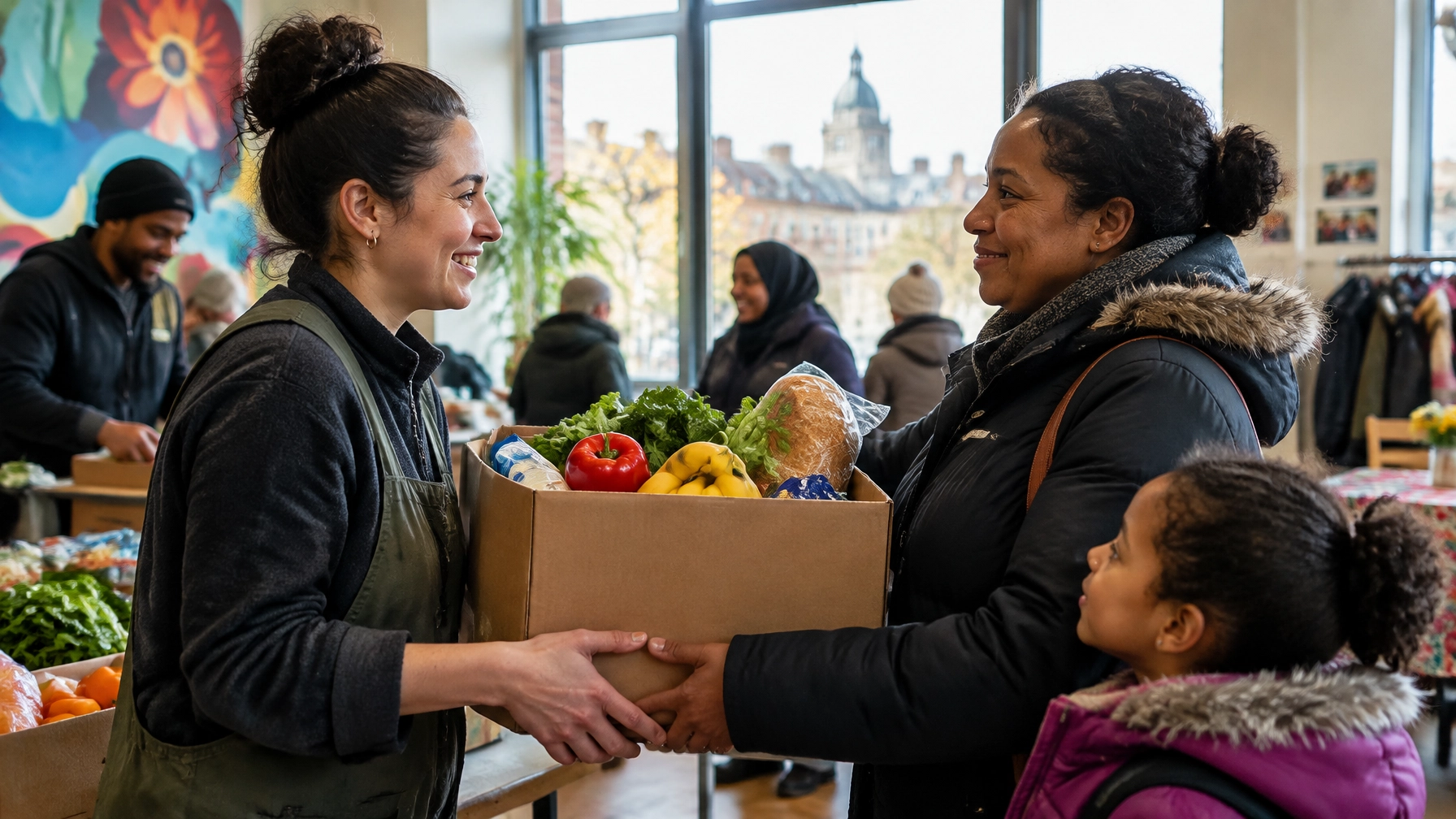
Volunteers organizing donated groceries with families at a Montreal community food program

Montreal nonprofits operate in a bilingual environment, but bilingualism is not simply a translation task. It affects trust, accessibility, and conversion.

A partially translated website creates doubt. If your English page explains eligibility, but your French page does not, visitors may wonder whether the service is truly designed for them.

This quarter, check:

  • Are your most important pages available in complete French and English versions?
  • Do both languages include donation instructions, program eligibility, impact stories, contact details, and clear calls to action?
  • Are your language URLs and page titles distinct enough for search engines to understand?
  • Do your program pages name the neighbourhoods and communities you actually serve?
  • Does your donation flow feel equally intentional in both languages?

Avoid generic phrases such as “supporting the community.” Say which community, where, and how.

A Montreal food-security nonprofit might create pages answering:

  • “Where can I access a food bank in CĂ´te-des-Neiges?”
  • “How can I volunteer with a food program in Montreal?”
  • “Can I donate monthly to support families in Quebec?”

In Webflow, structured CMS fields can help your team manage language, neighbourhood, audience, program type, and primary CTA consistently. That makes it easier to build local landing pages without creating content chaos.

Conversion fix: Give each language version a visible primary action. “Donate maintenant” and “Faire un don” should not be afterthoughts.

For a broader technical review, see Arch’s web design and SEO services.

Toronto: compete with specificity in a crowded ecosystem

Toronto has a large and highly competitive nonprofit ecosystem. Donors, volunteers, and corporate partners have many options. Broad positioning will rarely be enough.

A page that says “We support youth across Toronto” is less useful than one that explains:

  • Which age groups you serve.
  • Which communities or neighbourhoods you reach.
  • What the program actually provides.
  • Whether support is available in person, online, or through referrals.
  • What a donation funds.

This quarter, check:

  • Do you have dedicated pages for major service areas such as Scarborough, North York, Etobicoke, or the wider GTA, only where those pages reflect real programs?
  • Can corporate and foundation partners quickly understand your partnership model?
  • Do your impact stories include specific outcomes, not only emotional narratives?
  • Is your volunteer journey clear on mobile?
  • Does each campaign page make a direct, timely ask?

Toronto donors may be comparing organizations based on transparency, measurable impact, and ease of participation. Answer questions such as:

  • “How does a $50 donation help youth in Toronto?”
  • “Does your organization offer workplace volunteering?”
  • “How do I apply for your employment program?”
  • “Where are your services available in the GTA?”

Use Webflow CMS to connect each program with its location, audience, eligibility, impact metric, and conversion path. You can then publish a new campaign page quickly while keeping the underlying content structured.

Conversion fix: Put proof close to the action. Add a short impact statistic, participant story, or fund-use explanation beside the donation or volunteer CTA.

Ottawa: build confidence with evidence and institutional clarity
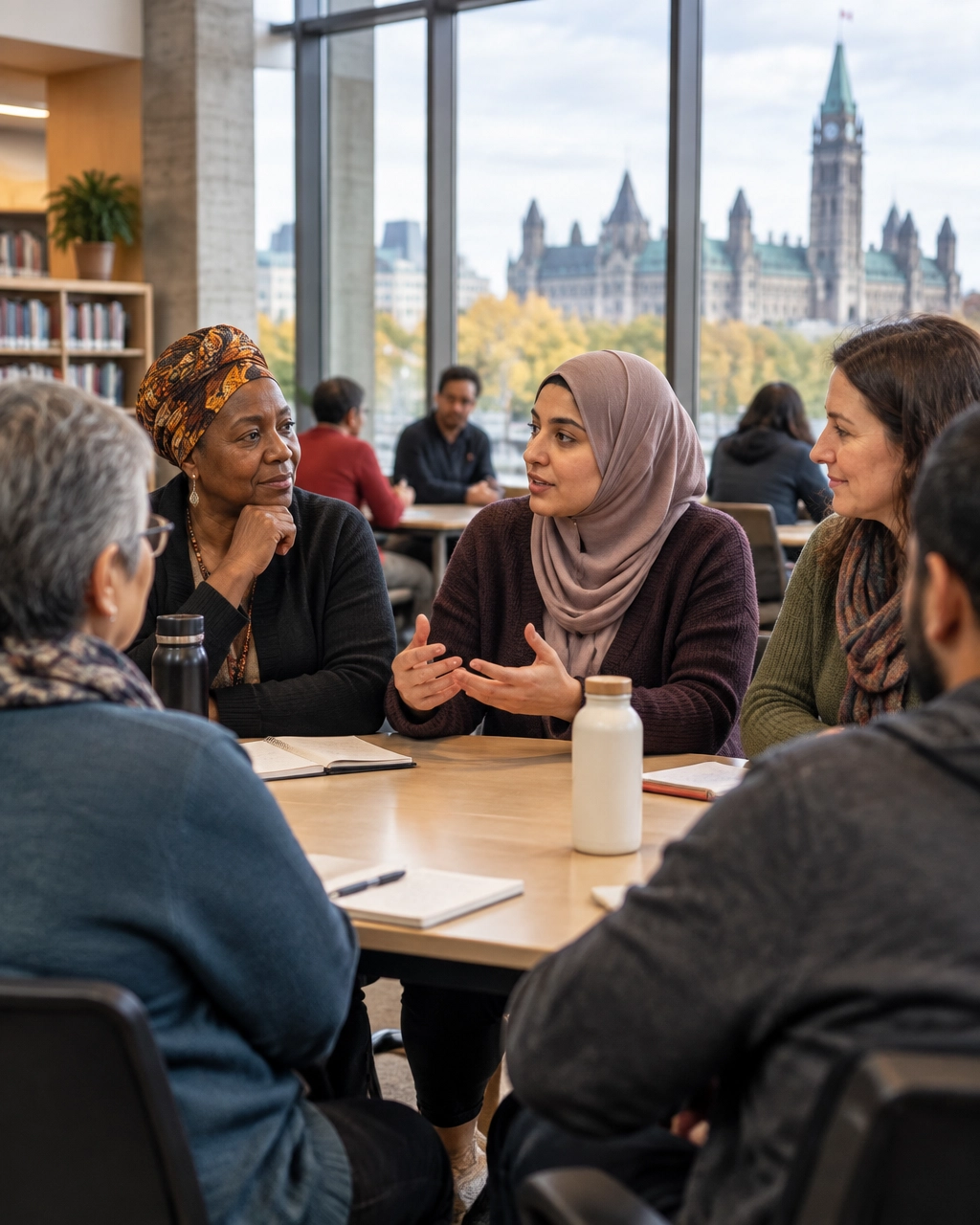
Community advocates taking part in a public policy and listening session in Ottawa

Ottawa audiences often include residents, public servants, policy professionals, national partners, funders, and institutional stakeholders. They may care deeply about your mission, but they also need to understand your governance, evidence, and accountability.

A compelling story helps. So does a clear operating model.

This quarter, check:

  • Is it obvious who governs and funds your organization?
  • Can visitors find annual reports, evaluation findings, and leadership information?
  • Do your programs explain eligibility and referral pathways clearly?
  • Are policy resources organized by topic, audience, or year?
  • Do event pages make participation details easy to find?

Create content that answers both human and institutional questions:

  • “Who is eligible for this Ottawa program?”
  • “What evidence supports your approach?”
  • “How does your organization measure outcomes?”
  • “How can policymakers partner with your nonprofit?”
  • “Where can residents access services?”

For an Ottawa nonprofit, a service page might need to serve two audiences at once: a resident looking for immediate help and a funder evaluating the program model. Use clear page sections so neither audience has to hunt.

Conversion fix: Add an “At a glance” section with location, eligibility, cost, referral requirements, and contact method. This can reduce unnecessary email and phone requests while helping the right people self-qualify.

Vancouver and BC: lead with place, people, and mobile action
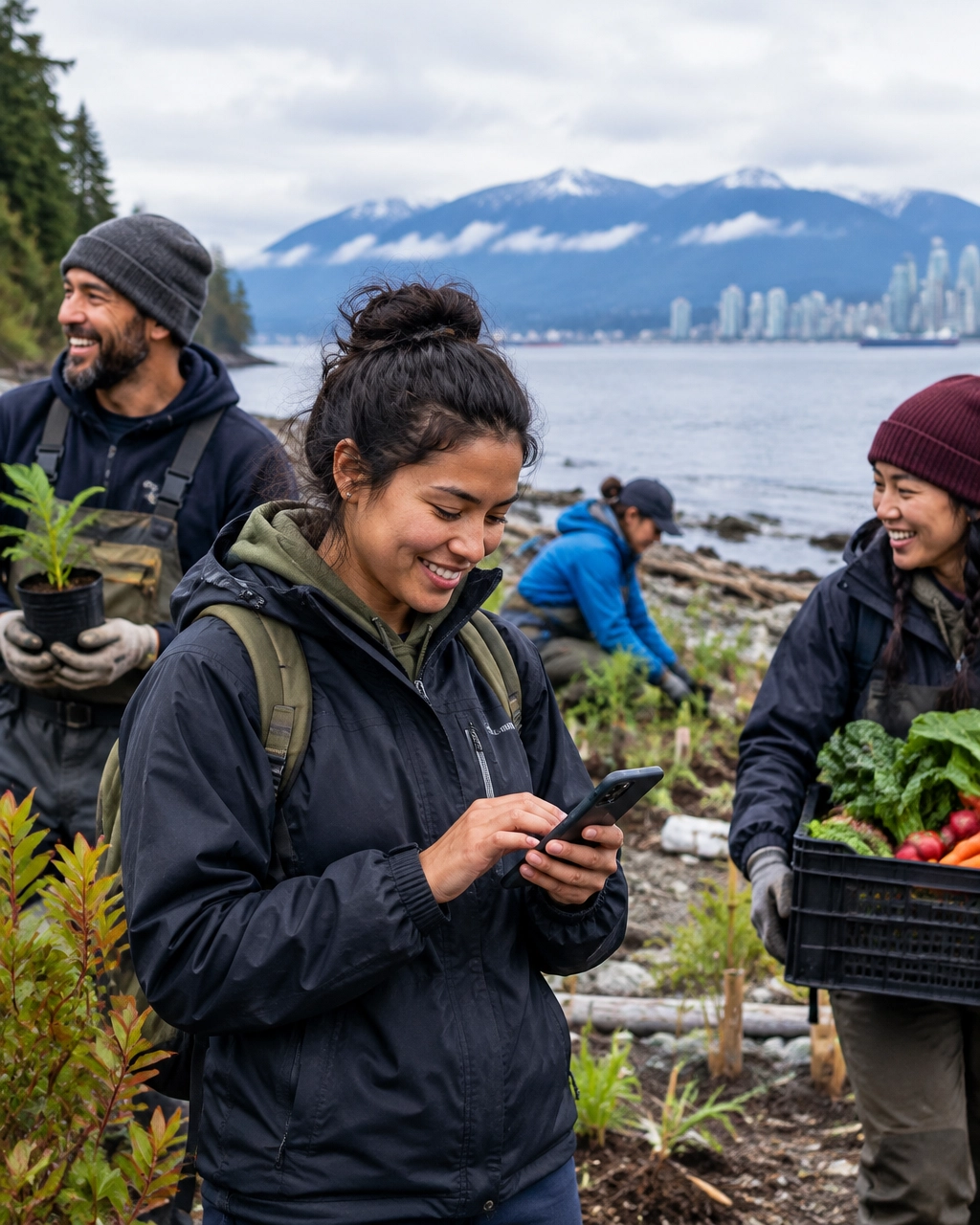
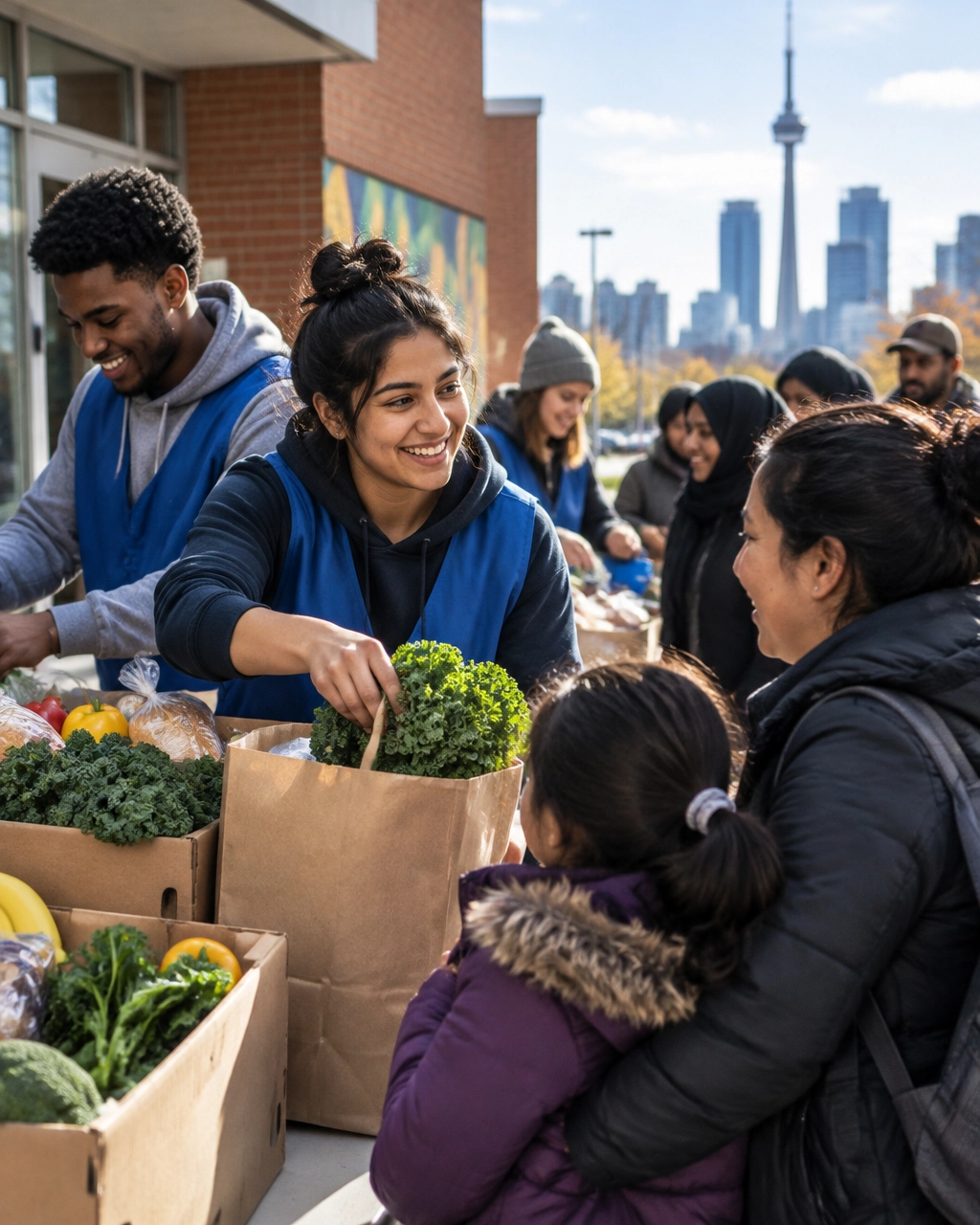
Volunteers restoring a Vancouver shoreline while a community member checks information on a smartphone

Vancouver and British Columbia nonprofits often have powerful place-based stories. The coastline, mountains, neighbourhoods, climate, housing pressures, and distance between communities can all shape how people experience your work.

Do not flatten that context into generic “impact” language.

Show the people and places behind the mission. Explain how the work changes daily life. Make access information practical.

This quarter, check:

  • Does your website explain where programs happen and how people get there?
  • Are transit, accessibility, hours, and service-area details easy to find?
  • Can someone donate from a phone without fighting a slow page or oversized form?
  • Are your stories connected to specific communities across Vancouver or BC?
  • Do your images show real program moments rather than generic office scenes?

Mobile-first matters here because people may discover your organization while commuting, attending an event, or responding to a campaign shared on social media.

Use question-led content such as:

  • “Where can I volunteer in Vancouver?”
  • “How does your organization support coastal restoration in BC?”
  • “Can I donate monthly from my phone?”
  • “Which communities are eligible for your housing support?”

Conversion fix: Keep the mobile donation flow short. Use clear recurring-gift options, visible trust information, and a confirmation experience that explains what happens next.

The AEO and schema checklist

Answer Engine Optimization is not about stuffing pages with awkward questions. It is about making your organization easy to understand.

Build a content structure around:

  • Mission and organization.
  • Programs and services.
  • Locations and service areas.
  • Impact stories and reports.
  • Events.
  • Donation and volunteer opportunities.
  • Frequently asked questions.

Then use structured data accurately:

  • Organization or NonprofitOrganization: Use on your homepage, About page, and Contact page. Include your name, URL, logo, address, social profiles, and contact details.
  • FAQPage: Use only when the questions and answers are visibly present on the page. Do not hide content in markup.
  • Event: Use on individual event pages with accurate dates, locations, descriptions, offers, and organizer information.
  • Service: Use for program and service pages. Describe the provider, audience, service area, and available support.
  • WebPage and Article: Use for core pages, news, reports, and impact stories where appropriate.

Markup must match visible content. It is not a shortcut to AI visibility. It is a way to make your existing information more machine-readable and consistent.

Why Webflow works well for this playbook

Webflow CMS is particularly useful when your nonprofit needs to publish quickly without losing structure.

You can create reusable collections for:

  • Programs.
  • Cities and neighbourhoods.
  • Impact stories.
  • Events.
  • Staff and board members.
  • Campaigns.
  • FAQs.
  • Reports and resources.

That makes it easier to launch a donation-centric landing page for a seasonal campaign, then reuse the same reliable components for volunteer recruitment or program applications.

Webflow also supports responsive layouts, editorial permissions, reusable components, and built-in hosting. It does not process donations natively, so your donation platform still needs to be integrated and tested carefully across mobile and desktop.

The goal is not simply a faster website. It is a website your team can keep accurate.

What your board should be able to report

Track a baseline before making changes. Then report quarterly movement in:

  • Donation conversion rate.
  • Recurring donation starts.
  • Completed volunteer applications.
  • Completed program applications.
  • Mobile form completion rate.
  • Event registrations.
  • Local organic traffic by city.
  • Visits to high-intent program and donation pages.
  • Referral traffic from AI tools, when identifiable.
  • Self-reported discovery source: “How did you hear about us?”

AI visibility is still difficult to measure perfectly. Pair analytics with a simple question in your forms: “What brought you to us?”

That gives your board a more honest picture than traffic volume alone.

Three questions to take into your next audit

Does AEO replace SEO?

No. AEO builds on strong SEO fundamentals: crawlable pages, useful content, technical accessibility, internal links, and clear information architecture.

Do nonprofits need special AI markup?

No. Google says there is no special markup required for AI features. Use accurate, standard structured data and focus on clear content.

Can Webflow manage a nonprofit website at scale?

For many small and mid-sized nonprofits, yes. Its CMS can organize programs, events, stories, and campaigns while allowing teams to update content without constant development support. Your exact needs, integrations, governance model, and content volume should determine the final platform decision.

Make your mission easier to find, and easier to support

Your organization already has the important part: meaningful work and a community that needs it.

This quarter, make sure your digital presence reflects that work in the places your audiences are searching, from Montreal to Vancouver, from a donor’s phone to an AI-generated recommendation.

Book a consultation with Arch Impact Studio to audit your website’s city-level visibility, conversion paths, CMS structure, and next-quarter priorities.

Conclusion

A potential donor asks ChatGPT, Perplexity, or Google:

“Where can I support youth mental health programs in Toronto?”
“Which organization helps newcomers in Montreal?”
“How can I volunteer with a food-access program in Vancouver?”

Your nonprofit may do exactly what they need. But if your website does not clearly explain who you serve, where you work, what you do, and what visitors can do next, an AI answer engine may recommend someone else.

That is the real challenge this quarter.

Your website is still where trust is built and action happens. AI search is increasingly where discovery begins. You need both working together.

TL;DR: Run this audit before your next board meeting

Your nonprofit website should:

  • Answer the basics in plain language: what you do, who you serve, where you operate, and how people can help.
  • Give every key page one primary conversion: donate, volunteer, apply, attend, or contact.
  • Create genuinely local content for Montreal, Toronto, Ottawa, and Vancouver, not pages that simply swap the city name.
  • Structure content around natural questions people ask AI tools.
  • Use accurate schema markup for your organization, programs, events, services, and visible FAQs.
  • Use Webflow CMS to manage programs, impact stories, locations, campaigns, and events without rebuilding the site every time.
  • Report outcomes your board can understand: donation conversion rate, completed applications, volunteer signups, mobile completion rate, and qualified local traffic.

The takeaway? AEO gets the right people to your site. Conversion-driven design helps them take the next step.


The quarterly audit: discovery first, action second

Start by reviewing your top five entry pages. For each one, ask:

  1. Could a first-time visitor explain our mission after 10 seconds?
  2. Does this page clearly identify the community or geography we serve?
  3. Is there one obvious next action?
  4. Does the page directly answer real donor, volunteer, or applicant questions?
  5. Can a staff member update it without technical help?

A page about a program should not force visitors to search through annual reports to find eligibility details. A donation page should not make people dig through a hamburger menu. An event page should not show last year’s date.

For AI search, create concise answers near the top of the page, followed by supporting detail. For example:

Who does your organization serve?

“We provide free employment support to newcomers and refugees in Greater Montreal, including career coaching, language referrals, and employer connections.”

That format helps people skim. It also gives search systems a clear, grounded description of your relevance.

Google’s guidance confirms that there is no special AI schema or secret file required for AI Overviews. Helpful, people-first content still matters most. Standard structured data can help search engines understand your organization and qualify pages for supported search features. Learn more in Google’s AI features guidance.

Montreal: audit for bilingual trust, not just translation

Volunteers organizing donated groceries with families at a Montreal community food program

Montreal nonprofits operate in a bilingual environment, but bilingualism is not simply a translation task. It affects trust, accessibility, and conversion.

A partially translated website creates doubt. If your English page explains eligibility, but your French page does not, visitors may wonder whether the service is truly designed for them.

This quarter, check:

  • Are your most important pages available in complete French and English versions?
  • Do both languages include donation instructions, program eligibility, impact stories, contact details, and clear calls to action?
  • Are your language URLs and page titles distinct enough for search engines to understand?
  • Do your program pages name the neighbourhoods and communities you actually serve?
  • Does your donation flow feel equally intentional in both languages?

Avoid generic phrases such as “supporting the community.” Say which community, where, and how.

A Montreal food-security nonprofit might create pages answering:

  • “Where can I access a food bank in CĂ´te-des-Neiges?”
  • “How can I volunteer with a food program in Montreal?”
  • “Can I donate monthly to support families in Quebec?”

In Webflow, structured CMS fields can help your team manage language, neighbourhood, audience, program type, and primary CTA consistently. That makes it easier to build local landing pages without creating content chaos.

Conversion fix: Give each language version a visible primary action. “Donate maintenant” and “Faire un don” should not be afterthoughts.

For a broader technical review, see Arch’s web design and SEO services.

Toronto: compete with specificity in a crowded ecosystem

Toronto has a large and highly competitive nonprofit ecosystem. Donors, volunteers, and corporate partners have many options. Broad positioning will rarely be enough.

A page that says “We support youth across Toronto” is less useful than one that explains:

  • Which age groups you serve.
  • Which communities or neighbourhoods you reach.
  • What the program actually provides.
  • Whether support is available in person, online, or through referrals.
  • What a donation funds.

This quarter, check:

  • Do you have dedicated pages for major service areas such as Scarborough, North York, Etobicoke, or the wider GTA, only where those pages reflect real programs?
  • Can corporate and foundation partners quickly understand your partnership model?
  • Do your impact stories include specific outcomes, not only emotional narratives?
  • Is your volunteer journey clear on mobile?
  • Does each campaign page make a direct, timely ask?

Toronto donors may be comparing organizations based on transparency, measurable impact, and ease of participation. Answer questions such as:

  • “How does a $50 donation help youth in Toronto?”
  • “Does your organization offer workplace volunteering?”
  • “How do I apply for your employment program?”
  • “Where are your services available in the GTA?”

Use Webflow CMS to connect each program with its location, audience, eligibility, impact metric, and conversion path. You can then publish a new campaign page quickly while keeping the underlying content structured.

Conversion fix: Put proof close to the action. Add a short impact statistic, participant story, or fund-use explanation beside the donation or volunteer CTA.

Ottawa: build confidence with evidence and institutional clarity

Community advocates taking part in a public policy and listening session in Ottawa

Ottawa audiences often include residents, public servants, policy professionals, national partners, funders, and institutional stakeholders. They may care deeply about your mission, but they also need to understand your governance, evidence, and accountability.

A compelling story helps. So does a clear operating model.

This quarter, check:

  • Is it obvious who governs and funds your organization?
  • Can visitors find annual reports, evaluation findings, and leadership information?
  • Do your programs explain eligibility and referral pathways clearly?
  • Are policy resources organized by topic, audience, or year?
  • Do event pages make participation details easy to find?

Create content that answers both human and institutional questions:

  • “Who is eligible for this Ottawa program?”
  • “What evidence supports your approach?”
  • “How does your organization measure outcomes?”
  • “How can policymakers partner with your nonprofit?”
  • “Where can residents access services?”

For an Ottawa nonprofit, a service page might need to serve two audiences at once: a resident looking for immediate help and a funder evaluating the program model. Use clear page sections so neither audience has to hunt.

Conversion fix: Add an “At a glance” section with location, eligibility, cost, referral requirements, and contact method. This can reduce unnecessary email and phone requests while helping the right people self-qualify.

Vancouver and BC: lead with place, people, and mobile action

Volunteers restoring a Vancouver shoreline while a community member checks information on a smartphone

Vancouver and British Columbia nonprofits often have powerful place-based stories. The coastline, mountains, neighbourhoods, climate, housing pressures, and distance between communities can all shape how people experience your work.

Do not flatten that context into generic “impact” language.

Show the people and places behind the mission. Explain how the work changes daily life. Make access information practical.

This quarter, check:

  • Does your website explain where programs happen and how people get there?
  • Are transit, accessibility, hours, and service-area details easy to find?
  • Can someone donate from a phone without fighting a slow page or oversized form?
  • Are your stories connected to specific communities across Vancouver or BC?
  • Do your images show real program moments rather than generic office scenes?

Mobile-first matters here because people may discover your organization while commuting, attending an event, or responding to a campaign shared on social media.

Use question-led content such as:

  • “Where can I volunteer in Vancouver?”
  • “How does your organization support coastal restoration in BC?”
  • “Can I donate monthly from my phone?”
  • “Which communities are eligible for your housing support?”

Conversion fix: Keep the mobile donation flow short. Use clear recurring-gift options, visible trust information, and a confirmation experience that explains what happens next.

The AEO and schema checklist

Answer Engine Optimization is not about stuffing pages with awkward questions. It is about making your organization easy to understand.

Build a content structure around:

  • Mission and organization.
  • Programs and services.
  • Locations and service areas.
  • Impact stories and reports.
  • Events.
  • Donation and volunteer opportunities.
  • Frequently asked questions.

Then use structured data accurately:

  • Organization or NonprofitOrganization: Use on your homepage, About page, and Contact page. Include your name, URL, logo, address, social profiles, and contact details.
  • FAQPage: Use only when the questions and answers are visibly present on the page. Do not hide content in markup.
  • Event: Use on individual event pages with accurate dates, locations, descriptions, offers, and organizer information.
  • Service: Use for program and service pages. Describe the provider, audience, service area, and available support.
  • WebPage and Article: Use for core pages, news, reports, and impact stories where appropriate.

Markup must match visible content. It is not a shortcut to AI visibility. It is a way to make your existing information more machine-readable and consistent.

Why Webflow works well for this playbook

Webflow CMS is particularly useful when your nonprofit needs to publish quickly without losing structure.

You can create reusable collections for:

  • Programs.
  • Cities and neighbourhoods.
  • Impact stories.
  • Events.
  • Staff and board members.
  • Campaigns.
  • FAQs.
  • Reports and resources.

That makes it easier to launch a donation-centric landing page for a seasonal campaign, then reuse the same reliable components for volunteer recruitment or program applications.

Webflow also supports responsive layouts, editorial permissions, reusable components, and built-in hosting. It does not process donations natively, so your donation platform still needs to be integrated and tested carefully across mobile and desktop.

The goal is not simply a faster website. It is a website your team can keep accurate.

What your board should be able to report

Track a baseline before making changes. Then report quarterly movement in:

  • Donation conversion rate.
  • Recurring donation starts.
  • Completed volunteer applications.
  • Completed program applications.
  • Mobile form completion rate.
  • Event registrations.
  • Local organic traffic by city.
  • Visits to high-intent program and donation pages.
  • Referral traffic from AI tools, when identifiable.
  • Self-reported discovery source: “How did you hear about us?”

AI visibility is still difficult to measure perfectly. Pair analytics with a simple question in your forms: “What brought you to us?”

That gives your board a more honest picture than traffic volume alone.

Three questions to take into your next audit

Does AEO replace SEO?

No. AEO builds on strong SEO fundamentals: crawlable pages, useful content, technical accessibility, internal links, and clear information architecture.

Do nonprofits need special AI markup?

No. Google says there is no special markup required for AI features. Use accurate, standard structured data and focus on clear content.

Can Webflow manage a nonprofit website at scale?

For many small and mid-sized nonprofits, yes. Its CMS can organize programs, events, stories, and campaigns while allowing teams to update content without constant development support. Your exact needs, integrations, governance model, and content volume should determine the final platform decision.

Make your mission easier to find, and easier to support

Your organization already has the important part: meaningful work and a community that needs it.

This quarter, make sure your digital presence reflects that work in the places your audiences are searching, from Montreal to Vancouver, from a donor’s phone to an AI-generated recommendation.

Book a consultation with Arch Impact Studio to audit your website’s city-level visibility, conversion paths, CMS structure, and next-quarter priorities.

Continue your reading with these value-packed posts
mins read
Why Canadian Nonprofits Can't Afford to Ignore Conversion-Driven Web Design & AEO in 2026

TL;DR The Problem: Many Canadian nonprofits across Montreal, Toronto, Ottawa, and Vancouver have websites that act as digital brochures rather than conversion engines: losing critical donors and volunteers. The Solution: Combining conversion-driven web design with Answer Engine Optimization (AEO) transforms your site into an active driver of social impact. The Platform: Webflow offers unmatched speed, security, 50% charity discounts, and robust CMS flexibility for mission-driven teams. The Takeaway: In 2026, ranking on Google isn't enough; you need to be the definitive answer in AI search engines while turning every visitor into an active supporter. The Nonprofit Digital Dilemma in 2026 Let’s be honest: your nonprofit does incredible work on the ground. Whether you are running community support programs in Montreal, advocacy campaigns in Ottawa, or youth initiatives in Vancouver, your mission matters. So why is your website acting like a digital paperweight? Too many Canadian charities and purpose-led organizations treat their website as an online brochure. They spend months debating color palettes, launch a pretty site, and then wonder why donations are stagnant and volunteer sign-ups are trickling in. Meanwhile, boards demand accountability, budgets are tight, and every dollar spent needs to prove its worth. The takeaway? You aren't buying design; you're buying outcomes. At Arch Impact Studio , we’ve seen firsthand how mission-driven organizations struggle when their digital presence doesn’t reflect the caliber of their actual programs. In 2026, simply having a website is no longer enough. You need a platform engineered for two critical modern realities: high-intent conversion and Answer Engine Optimization (AEO) . Let’s dive right in and explore how your nonprofit can bridge the gap between digital presence and real-world impact. 1. What is Conversion-Driven Web Design for Nonprofits? Traditional web design focuses on aesthetics. Conversion-driven web design focuses on behavior. When a donor, volunteer, or grant maker lands on your website, every second counts. They should instantly understand who you are, what problem you solve, and how they can take action. If they have to hunt for your donation button or decipher corporate jargon to understand your impact, you’ve already lost them. The Anatomy of a High-Converting Nonprofit Site Above-the-Fold Clarity: Your homepage headline must instantly communicate your core mission and target audience. No fluff. Frictionless Donation Flows: Optimized donation pages can increase conversion rates by up to 300%. This means suggested giving amounts tied to tangible impact (e.g., "$50 funds a warm meal for three families"), multiple payment methods (including Apple Pay and Google Pay), and minimal form fields. Strategic Trust Signals: Prominently display your Canadian charity registration number, impact metrics, and security badges. Donors want to know their money is safe and making a difference. When you look at our client success stories , the common denominator is clear: every design decision is tied to a specific action: whether that’s a monthly recurring donation, a volunteer application, or a newsletter subscription. 2. AEO (Answer Engine Optimization): Winning the AI Search Era Search has changed dramatically. Donors and volunteers aren't just typing keywords into Google anymore; they are asking AI answer engines like Perplexity, ChatGPT, and Bing Copilot conversational questions like: "How do I support refugee integration programs in Montreal?" or "Which Vancouver environmental charities offer tax receipts?" If your website isn't optimized for Answer Engine Optimization (AEO) , AI assistants won't know you exist: and they'll recommend someone else. How to Make Your Nonprofit AI-Readable Structured Data (JSON-LD Schema): Implement Organization, Service, and FAQ schema markup. This tells AI engines exactly who you are, your charity status, and what programs you run. Natural Language Q&A: Build a dedicated, comprehensive FAQ page that answers questions the way real people ask them (e.g., "How do I get a tax receipt for my monthly donation in Canada?" ). Entity-Rich Content: Clearly state your geographic focus, the populations you serve, and measurable outcomes. AI loves concrete facts and verifiable statistics over vague mission statements. By structuring your content for AI engines, you position your organization as the definitive authority in your sector across Canada. 3. Why Webflow is the Ultimate Platform for Canadian Nonprofits When building a conversion-focused, AEO-ready website, the underlying technology matters immensely. That is why we specialize in Webflow for our nonprofit and purpose-led clients. Key Advantages for the Sector 50% Nonprofit Discounts: Webflow offers a significant discount on CMS and Business site plans for verified Canadian registered charities, making enterprise-grade technology budget-friendly. Empowered Internal Teams: Once our 7-step process is complete, your communications team can update impact stories, launch campaign landing pages, and publish blog posts without needing a developer on retainer. Lightning-Fast Performance & Security: Speed is a massive ranking factor for both traditional SEO and AEO. Webflow’s clean code and global CDN ensure your site loads instantly on mobile devices: crucial given that over 60% of nonprofit traffic originates on smartphones. Granular Custom Code Access: Webflow allows seamless injection of custom JSON-LD schema, advanced analytics, and CRM integrations without bloated plugins. 4. Regional Relevance: Connecting Across Canadian Markets Canada is a vast, diverse federation, and regional nuances matter deeply to donors and community stakeholders. Montreal & Quebec: Organizations operating in Quebec often require bilingual (English/French) digital experiences. A robust Webflow CMS setup allows you to manage localized content seamlessly while ensuring search and AI engines index both language entities correctly. Toronto & Ottawa: As national hubs for philanthropy, policy, and federal grants, nonprofits here face fierce competition for donor attention. High-end design and razor-sharp value propositions cut through the corporate noise. Vancouver & British Columbia: Environmental and community-focused nonprofits in BC thrive on visual storytelling. Authentic imagery and mobile-first donation experiences capture the region's active, outdoor-focused donor base. Wherever your headquarters are located, your digital presence must reflect local trust while scaling national impact. 5. Visual Standards: Authentic Impact Over Stock Clichés Nothing erodes donor trust faster than generic corporate stock photos of smiling people in business suits shaking hands. Your organization does real work with real people: your imagery should prove it. Ditch the Stock Photos: Use authentic photography of your actual programs, volunteers, and community members (with proper consent). Show, Don’t Tell: Pair emotional storytelling with hard data. If a photo shows a community garden initiative, include a caption or overlay highlighting how many pounds of fresh produce were harvested last season. Design with Empathy: Maintain accessible color contrast, legible typography, and intuitive navigation that welcomes supporters of all abilities. Ready to Maximize Your Nonprofit's Digital Impact? If your website isn't pulling its weight, you don't need another expensive redesign that only focuses on aesthetics. You need a conversion-driven, AEO-optimized digital asset built on Webflow that turns casual visitors into passionate advocates. At Arch Impact Studio , we partner with mission-driven leaders across Canada to build websites that justify their board's investment and drive measurable outcomes. Book a discovery call with our team today or learn more about our approach to see how we can help your organization thrive in 2026 and beyond.

mins read
Conversion-Focused Web Design & AEO: The Digital Impact Playbook for Canadian Nonprofits

Your organization is doing meaningful work. But if visitors cannot quickly understand that work, trust your organization, or take the next step, your website is leaving impact on the table. That next step might be: Making a donation Becoming a monthly donor Applying for support Volunteering Registering for an event Joining your email list Sharing your mission Conversion-focused web design helps visitors act. Answer Engine Optimization helps the right people find you in the first place. Together, they turn your website into more than a digital brochure. They make it part of your fundraising, service delivery, and community-building infrastructure. TL;DR: What a high-impact nonprofit website should do A strong Canadian non-profit website should: Explain your mission in plain language. Give every important page one clear primary action. Make donating, volunteering, and applying simple on mobile. Answer real questions from donors and community members. Use structured content that search engines and AI tools can understand. Give your team a flexible CMS for campaigns, programs, and impact stories. Reflect the local realities of the communities you serve. Let’s dive right in. Design around the actions that matter most A nonprofit website does not need more buttons. It needs better decisions about which actions deserve attention. Start by identifying your core conversion journeys: Donate Give monthly Volunteer Apply for support Register for an event Partner with your organization Read an impact story Contact your team Then assign one primary action to each important page. For example: A program page should explain eligibility and lead people toward applying. An impact story should build trust and lead visitors toward donating. An event page should make registration quick. A volunteer page should clearly explain available roles and requirements. A campaign page should focus on one fundraising goal. Clear design is not simplistic design. It is respectful design. Your visitors may be discovering your organization during a stressful, emotional, or time-sensitive moment. Do not make them work to understand how to help. Build a donation journey that reduces friction A donor should not have to search through your navigation to find out how to give. Keep a clear Donate button in your global navigation. Repeat it naturally on relevant program pages, impact stories, campaign pages, and your footer. Your donation page should answer practical questions before the form begins: What will my gift help provide? Who benefits? Can I give once or monthly? Are the amounts shown in Canadian dollars? Who issues my tax receipt? Is the payment process secure? What happens after I donate? A conversion-focused donation page usually includes: Specific impact examples One-time and monthly giving options A small number of suggested gift amounts Short, clearly labelled form fields Accessible mobile design Privacy and payment information A clear receipt and confirmation message Real photography from the communities you serve “Support our work” is vague. “Your gift helps provide fresh groceries to families in Laval” is more concrete: provided the claim is accurate and current. If you use CanadaHelps, Zeffy, or another fundraising platform, the transaction may happen through a third party. That is fine. But the story, trust signals, impact information, and donor experience should still begin on your own website. For official Canadian guidance, link to the Canada Revenue Agency’s charities and giving resources . Why Webflow is a strong fit for Canadian nonprofits Webflow is not a donation processor. You will still need a secure fundraising platform or payment provider. Where Webflow excels is the experience layer: the content, layouts, design system, and publishing workflow that guide people toward action. 1. Scale your content without starting over Your organization may begin with five core pages. Over time, you may need: Programs and services Events Campaigns Impact stories Volunteer opportunities Regional pages Annual reports FAQs Staff and partner profiles Resource libraries Webflow CMS lets your team organize this information into structured collections. A new event or impact story can appear automatically in multiple parts of the website using reusable templates. That means fewer repetitive updates. Better consistency. Less dependency on developers. Our Webflow CMS training guide explains how teams can manage structured content and publish updates more efficiently. 2. Launch donation-centric layouts quickly Nonprofits often work against real deadlines: GivingTuesday Year-end fundraising Emergency appeals Seasonal programs Grant announcements New service launches Community events With Webflow, you can create reusable layouts for donation campaigns, volunteer recruitment, event registration, and program applications. Once the structure is in place, your team can adapt the content without redesigning every page from scratch. 3. Keep the visual experience mission-aligned Donation forms often feel disconnected from the organization they support. Webflow gives you control over the experience around the form: Typography Layout Colour Impact storytelling Trust signals Responsive behaviour Accessibility details Calls to action The result is a donation experience that feels like a natural extension of your brand: not a form pasted into an unrelated website. Arch’s portfolio includes work for purpose-led organizations such as N3O , a nonprofit-focused fundraising technology organization. AEO Canada: make your mission easy for AI search to understand People are increasingly asking complete questions in ChatGPT, Perplexity, Google AI Overviews, and other answer engines. They may search: “Which charities support food security in Toronto?” “Where can I volunteer with youth programs in Montreal?” “What services are available for newcomers in Ottawa?” “How can I support wildfire recovery in British Columbia?” “Are there Canadian nonprofits offering mental health programs for youth?” This is where Answer Engine Optimization , or AEO, becomes useful. AEO is the practice of structuring your website so search engines and AI systems can better understand, extract, and reference your information. It is not a shortcut. Google’s guidance emphasizes “helpful, reliable, people-first content” for both traditional search and AI features. In other words, the best AEO strategy is also good communication. Use natural-language questions and direct answers For each important page or section: Put a real question in the heading. Answer it directly in one or two sentences. Add supporting details, evidence, and context. End with a relevant next step. For example: Who does your Montreal food security program support? We provide grocery support and community food programs for low-income families and individuals across selected Montreal neighbourhoods. Eligibility depends on household needs, location, and program availability. Then add: Eligibility requirements Service locations Program hours Application steps Accessibility information A clear “Get support” CTA Another example: How can I volunteer with our organization in Toronto? We match volunteers with community programs in Toronto based on their interests, availability, and location. Most roles require a weekly commitment of two to four hours, and orientation is provided before your first shift. That answer is useful to a person. It is also easier for AI systems to interpret. Avoid vague headings like “Our Approach” when your audience is really asking, “How does your program work?” Write the way your community speaks. Structure content for people first Useful AEO content often includes: Descriptive page titles One clear H1 per page Logical H2 and H3 headings Short paragraphs Bulleted lists Internal links Current statistics Consistent organization and location details Visible FAQ sections Relevant structured data You can add Organization , NonprofitOrganization , Article , Event , Service , and FAQPage schema where appropriate. But your schema must match the content people can actually see. Structured data supports useful content. It does not replace it. Make regional relevance useful, not decorative A Canadian nonprofit website should reflect the communities it serves. Montreal web design Montreal organizations often communicate with French- and English-speaking audiences. For bilingual organizations, translation is only the starting point. Your English and French experiences should both include: Donation information Program eligibility Contact details Tax receipt information Impact stories Accessibility guidance Clear language switching A thoughtful Montreal web design strategy treats bilingual content as part of trust and accessibility: not a last-minute add-on. Toronto web design Toronto has a dense and competitive nonprofit ecosystem. A general statement about “serving the community” may not be enough. Visitors need to know: Which neighbourhoods you serve Who your programs are for What makes your approach different How to access support How partners and volunteers can participate Strong Toronto web design should help users move from “I need help” to “This is the right program for me.” Ottawa web design Ottawa’s nonprofit landscape often intersects with government, policy, advocacy, research, and national organizations. Your website may serve residents, donors, volunteers, policymakers, journalists, and institutional partners. Use clear pathways for each audience. Explain your mandate, evidence, partnerships, governance, and outcomes without making the site feel overwhelming. Vancouver web design Vancouver and British Columbia have distinct conversations around housing, climate response, Indigenous-led initiatives, food access, and community resilience. Show where your work happens. Use authentic local stories. Include service areas, access information, and current program details. Do not create thin location pages that simply swap one city name for another. Regional content should include real local context and useful answers. Measure digital impact beyond traffic Traffic is useful. But it is not the outcome. Track the actions that matter to your mission: Donation completion rate Monthly donor conversion rate Volunteer application completion Program applications Event registrations Newsletter signups Clicks from impact stories Visits to regional program pages Mobile versus desktop performance Common questions your website still fails to answer Review analytics alongside feedback from staff and community members. If people continue calling to ask questions your website should answer, that is a content and user-experience signal. A successful non-profit website reduces uncertainty. It helps the right person understand what you do, decide whether your organization is credible, and take action with confidence. A practical 30-day improvement plan You do not need to rebuild everything at once. Week 1: Clarify Assign one primary conversion to each key page. Add a clear Donate button to your navigation. List the top questions asked by donors, volunteers, and participants. Week 2: Restructure Rewrite vague headings as natural-language questions. Add direct answers near the top of important pages. Link programs to impact stories, reports, and donation paths. Week 3: Reduce friction Test donation, volunteer, and application journeys on mobile. Remove unnecessary form fields. Clarify tax receipts, privacy, security, and confirmation messages. Review keyboard navigation, contrast, labels, and image alt text. Week 4: Measure Track conversions, not just sessions. Compare high-intent pages with low-action rates. Improve the pages where visitors are interested but hesitant. Your mission deserves a website that carries its weight Whether you are looking for non-profit web design , a charity website agency , a mission-driven website agency , or a Webflow developer Canada nonprofits can rely on, choose a partner that connects design decisions to measurable outcomes. That means: Better donation journeys Clearer program information Stronger local relevance More accessible content Smarter CMS architecture More discoverable answers A visual identity that feels human and specific At Arch Impact Studio , we build brands and Webflow websites for organizations with something meaningful to move forward. If your website is losing donors, volunteers, applicants, or community members, book a consultation . We will help you identify the highest-impact opportunities and build a practical path toward a more visible, trusted, and effective digital presence. Your mission is already making an impact. Let’s make it easier for more people to find it, understand it, and support it.

mins read
Conversion-Focused Web Design & AEO for Canadian Nonprofits: Turning Website Visitors into Donors

Your nonprofit may be doing meaningful work. But if your website is unclear, slow, difficult to navigate, or disconnected from the way people give today, visitors may leave before they ever become donors, volunteers, applicants, or advocates. That gap matters. Canadian nonprofits are operating in a challenging funding environment. Donor participation has declined, demand for services remains high, and organizations are competing for attention across search engines, social media, email, and increasingly, AI-generated answers. A conversion-focused website helps you make the most of every visit. Answer Engine Optimization (AEO) helps more people discover you in tools such as ChatGPT, Google AI Overviews, and Perplexity. Together, they turn your website into a more effective part of your mission. The challenge: your website has to earn trust quickly Canadian donors are researching organizations before they give. They want to understand: Who do you help? Where do you work? What does a donation make possible? Is your organization trustworthy? Can I donate securely? Will I receive a tax receipt? What other ways can I support you? The CanadaHelps 2023 Giving Report found that charitable giving participation in Canada fell to 18.4% in 2020, down from 23.4% in 2010. The same report found that December consistently contributes approximately 30% of annual online donations. This creates two important priorities: Make every donation journey as clear and frictionless as possible. Build trust before the donor reaches the donation form. As CanadaHelps puts it, “The health of charities doesn’t just mean the health of the charitable sector, it means the health of our country.” Your website is part of that infrastructure. What conversion-focused nonprofit web design actually means Conversion-focused design is not about adding more buttons or making your homepage look trendier. It is about helping the right person take the right next step. For a nonprofit, that next step might be: Making a one-time or monthly donation Registering for an event Applying for a program Volunteering Joining your email list Downloading a report Contacting your team Sharing your work with someone else TL;DR A high-converting nonprofit website connects mission, proof, and action. A strong homepage should quickly communicate: Your mission: What change are you creating? Your audience: Who benefits from your work? Your geography: Where do you operate? Your evidence: What have you achieved? Your next step: How can someone help? The best donation pages then remove unnecessary friction. They use clear gift amounts, concise explanations, mobile-friendly forms, secure payment experiences, and specific impact language. “Help support our work” is vague. “$50 provides a newcomer family with a week of fresh groceries in East Toronto” is more concrete. It gives the donor a reason to act. Regional relevance: one Canadian market does not behave like another Your city should influence your content, examples, visuals, and calls to action. A nonprofit serving Montreal should not necessarily sound or look like one serving Vancouver. Montreal Montreal organizations often operate across French- and English-speaking communities, with culturally diverse audiences and a strong local identity. Your website should make language options obvious and avoid treating bilingual content as an afterthought. For Montreal nonprofits, consider: Clear English and French pathways Neighbourhood-level impact stories Accessible explanations of programs and eligibility Photography that reflects real local communities Donation messaging connected to housing, food security, arts, health, or newcomer support where relevant A bilingual experience is not simply a translation project. The tone, examples, and calls to action should feel natural in both languages. Toronto Toronto has a large and highly competitive nonprofit ecosystem. Organizations are often speaking to donors, volunteers, foundations, corporate partners, and program participants at the same time. Your site needs strong information architecture. Create clear pathways for each audience instead of forcing everyone through the same generic “Get Involved” page. Toronto-focused content may benefit from: Neighbourhood-specific impact pages Clear corporate partnership information Strong accessibility standards Stories that reflect the city’s diversity Simple explanations of how your programs complement public services Ottawa Ottawa’s nonprofit landscape often intersects with government, policy, advocacy, research, and national organizations. Credibility and mandate clarity are especially important. Your website should clearly explain: Your policy or program position The communities you serve Your evidence and methodology Your governance and accountability How donors, volunteers, and decision-makers can participate A well-structured “Our impact” section can support both fundraising and stakeholder engagement. Vancouver Vancouver nonprofits frequently work within conversations around housing affordability, climate, environmental protection, Indigenous rights, homelessness, and community resilience. Place-based storytelling is powerful here. Show what your work looks like in real communities, while being precise about partnerships, consent, and representation. The takeaway? Local relevance builds trust. Generic messaging wastes it. Why Webflow is a strong fit for Canadian nonprofits Webflow is not a donation processor. You will still need a fundraising platform, payment provider, CRM, or third-party form solution that fits your organization. Where Webflow excels is the experience layer: the pages, content structure, design system, and publishing workflow that guide people toward action. 1. Rapid deployment for campaigns Nonprofits often need to move quickly around GivingTuesday, year-end tax deadlines, emergency appeals, seasonal programs, or grant announcements. Webflow makes it easier to create and publish campaign-focused layouts without rebuilding the entire site. A reusable donation campaign template can include: Impact statistics A featured story Donation amounts A progress indicator Trust and security information A focused call to action Your team can then adapt that structure for different campaigns. 2. Scalable content management Webflow CMS allows your team to manage structured content without editing every page manually. You can create collections for: Impact stories Programs Events Volunteer opportunities Staff and board members Locations FAQs Reports and resources This is particularly useful for organizations growing across multiple neighbourhoods or cities. Arch’s Webflow training guide explains how teams can manage CMS content, publish updates, and collaborate without touching code. 3. Strong design control Donation pages need to be focused, but they should still feel like your organization. Webflow gives designers precise control over hierarchy, spacing, responsive layouts, typography, interactions, and accessibility details. That means your donation experience can feel human and mission-aligned rather than like an embedded form pasted into an unrelated website. 4. Easier iteration Conversion work is not finished at launch. You should be able to improve your site based on data. Track: Donation conversion rate Form completion rate Mobile versus desktop performance Monthly donor sign-ups Volunteer applications Email subscriptions Clicks on impact stories Traffic from organic and AI-driven sources Then improve the pages that matter most. Our N3O case study is a relevant example of redesigning a website for an organization that helps charities manage donors, collect funds, and grow fundraising. AEO: helping AI systems understand your organization Search behaviour is changing. People increasingly ask complete questions instead of typing short keywords. They may ask: “Which Montreal nonprofits support newcomer families?” “How can I volunteer with a food bank in Toronto?” “What charities help with housing in Vancouver?” “How does this Ottawa nonprofit use donations?” Answer Engine Optimization, or AEO, is the practice of structuring your content so search engines and answer engines can understand, trust, and reference it. It is not a shortcut. No agency can guarantee that ChatGPT or Google will recommend your organization. But you can make your information easier to interpret. Build direct answers into your website Create pages and sections that answer real donor questions in plain language: What does your nonprofit do? Who do you serve? Where do you operate? How are donations used? Are donations tax-deductible? How can I volunteer? What programs are available? What impact has your organization created? Lead with the answer. Add context afterward. For example: How does [Organization Name] use donations? Donations fund free after-school programs for youth in Montreal’s underserved neighbourhoods, including trained staff, transportation, meals, and learning materials. That answer is useful to people and easier for AI systems to understand. Use structure, not keyword stuffing AEO-friendly content usually includes: Descriptive page titles One clear H1 per page Logical H2 and H3 headings Short paragraphs Bulleted lists Internal links between related pages Updated statistics Organization and FAQ schema where appropriate Consistent name, location, and mission information Your content should sound natural. Write for people first. Demonstrate authority AI systems and donors both need signals of credibility. Make important information easy to find: Charity registration details Annual reports Financial information Board and leadership profiles Program outcomes Partner organizations Media coverage Testimonials and community feedback Methodology behind your research This content supports fundraising, grant applications, partnerships, and AI visibility at the same time. A practical roadmap for your organization You do not need to redesign everything at once. Start with this sequence: Audit your highest-value journeys. Review the homepage, donation page, program pages, volunteer page, and contact page. Identify the biggest conversion problem. Is the issue unclear messaging, weak calls to action, slow pages, poor mobile usability, or a complicated form? Rewrite your core answers. Clarify who you help, where you work, what changes, and how people can participate. Create a focused donation experience. Reduce distractions, explain impact, and make the next step obvious. Build structured content in Webflow. Use CMS collections for stories, programs, events, resources, and FAQs. Measure outcomes. Report improvements in donations, applications, volunteers, email subscribers, and engagement: not just page views. Your mission deserves a website that carries its weight Your website is not a brochure. It is part of your fundraising infrastructure, volunteer pipeline, public education strategy, and relationship with the community. A conversion-focused Webflow website can help you communicate with more clarity. A thoughtful AEO strategy can help the right people find those answers through search and AI tools. At Arch Impact Studio , we build brands and websites for mission-driven organizations that need their digital presence to reflect the quality of their work: and create measurable outcomes. If your website is attracting visitors but not enough donors, volunteers, applicants, or supporters, book a consultation . Let’s identify where the experience is losing people and build a clearer path toward impact. Sources and further reading CanadaHelps : The Giving Report 2023 Imagine Canada : New results and statistics on giving, volunteering, and participating Arch Impact Studio : N3O nonprofit case study Arch Impact Studio : Webflow website management guide